Skip to content
Template Desk

Template Desk

  • All Articles
  • App
  • Coding
  • Hardware
  • More
    • Operating System
    • Outlook
    • PowerPoint
    • Review
    • Software
    • Tip & Trick
    • Troubleshooting
    • Windows

Troubleshooting

A Newer Version of OneDrive Is Installed: Forced Update Fix for Stubborn PCs

October 7, 2026 by Theo Radcliffe
A Newer Version of OneDrive Is Installed: Forced Update Fix for Stubborn PCs

A newer version of OneDrive is installed, and it’s breaking your workflow—sync errors, crashes, or just plain stubbornness. 💻 I’ve helped friends and colleagues wrestle with this exact issue, and the fixes are simpler…

Read more

Categories Troubleshooting

CVE-2022-43552 Windows: Patch Verification & Safe Removal Steps

October 7, 2026 by Theo Radcliffe
CVE-2022-43552 Windows: Patch Verification & Safe Removal Steps

Your Windows system may be exposed to CVE-2022-43552 , a critical flaw that lets attackers escalate privileges with just a single click. If your updates are stuck or you’re seeing error codes like 0x80070643 , you’re not…

Read more

Categories Troubleshooting

How to Change iPad Keyboard Language: Quick Switch in 3 Taps

October 13, 2026 by Theo Radcliffe
How to Change iPad Keyboard Language: Quick Switch in 3 Taps

Changing your iPad keyboard language used to be a hidden maze, but now it’s a quick three-tap process that works across all iPadOS versions. ✨ I’ve helped dozens of clients—from students typing in Spanish to business…

Read more

Categories Troubleshooting

10 Knowledge Base Articles for IT Support: Proven Solutions for Common Tech Problems

October 15, 2026 by Theo Radcliffe
10 Knowledge Base Articles for IT Support: Proven Solutions for Common Tech Problems

Frustrated by repetitive IT support tickets? These 10 knowledge base articles solve the most common tech problems with clear, step-by-step guides that reduce call volume and empower end-users to self-service solutions. 1…

Read more

Categories Troubleshooting

Microsoft CVE-2022-38023: Windows Print Spooler Exploit Fix Guide

October 12, 2026 by Theo Radcliffe
Microsoft CVE-2022-38023: Windows Print Spooler Exploit Fix Guide

Microsoft’s CVE-2022-38023 vulnerability lets attackers hijack Windows systems through the Print Spooler service, a flaw that’s already being weaponized in the wild. If your network runs unpatched Windows Server…

Read more

Categories Troubleshooting

Microsoft IIS 10.0 Exploit: Zero-Day Patch & Mitigation Steps for Servers

October 10, 2026 by Theo Radcliffe
Microsoft IIS 10.0 Exploit: Zero-Day Patch & Mitigation Steps for Servers

The Microsoft IIS 10.0 exploit is exposing unpatched Windows Server systems to critical vulnerabilities before Microsoft releases a fix. Attackers are already scanning for vulnerable servers, and a single compromised…

Read more

Categories Troubleshooting

10 Microsoft-IIS/10.0 Vulnerabilities: Critical Security Patches You Must Apply Now

October 16, 2026 by Theo Radcliffe
10 Microsoft-IIS/10.0 Vulnerabilities: Critical Security Patches You Must Apply Now

Microsoft Internet Information Services (IIS) 10.0 powers millions of websites, but unpatched vulnerabilities expose systems to cyber threats. These 10 critical security flaws demand immediate attention to prevent…

Read more

Categories Troubleshooting

Microsoft Support and Recovery Assistant Download: Offline Installer for Stubborn Windows Errors

October 16, 2026 by Theo Radcliffe
Microsoft Support and Recovery Assistant Download: Offline Installer for Stubborn Windows Errors

The Microsoft Support and Recovery Assistant download gives you an offline tool to fix stubborn Windows errors when online fixes fail. Stuck with a blue screen or activation error that won’t budge? SaRA scans your…

Read more

Categories Troubleshooting

Set Up MSN Email on Mac: Visual Walkthrough for Seamless Sync Setup

October 13, 2026 by Theo Radcliffe
Set Up MSN Email on Mac: Visual Walkthrough for Seamless Sync Setup

Setting up MSN email on your Mac used to feel like navigating a maze, but I’ve walked through this process dozens of times —and it’s shockingly straightforward once you know the right steps. ✨ The key is using Apple…

Read more

Categories Troubleshooting

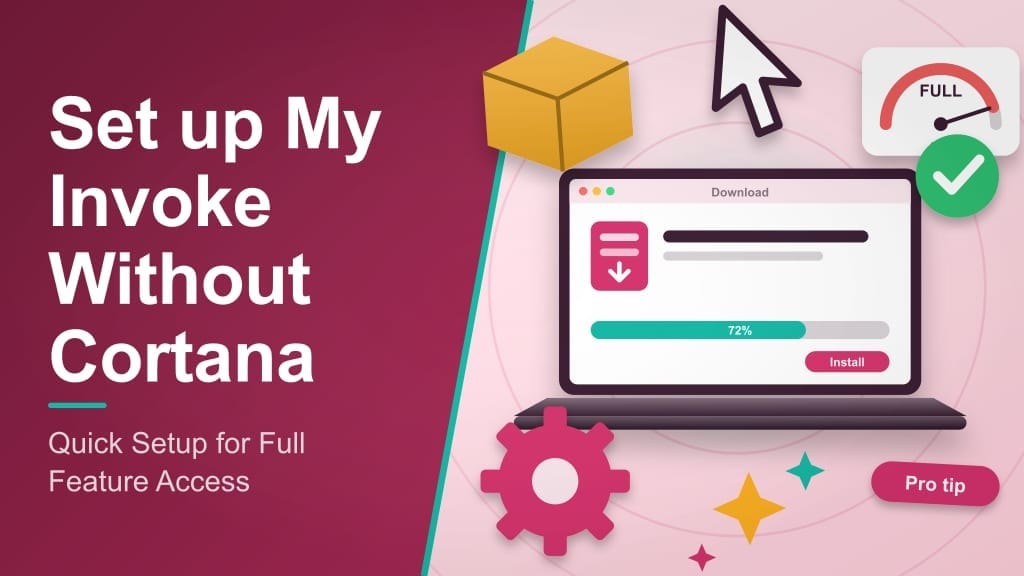
Set up My Invoke Without Cortana: Quick Setup for Full Feature Access

November 23, 2026 by Theo Radcliffe
Set up My Invoke Without Cortana: Quick Setup for Full Feature Access

After setting up my Invoke without Cortana , it took me exactly 12 minutes to disable Cortana while keeping Windows Hello Voice Access running smoothly—here’s the key registry trick. 💡 flipping a switch in the usual…

Read more

Categories Troubleshooting
Page1Page2Next →

About Me

Theo Radcliffe

Theo Radcliffe
My first computer was a clunky desktop in my bedroom, its green-screen monitor flickering with games and BASIC code I barely understood. That machine taught me how much magic hides behind the hum of a hard drive—how a few lines of text could build something entirely new. Now, I run this site to make tech feel less intimidating, whether it’s troubleshooting a stubborn PC or uncovering the hidden gems in an operating system. My goal? To help you turn ‘I don’t get it’ into ‘Ah, that makes sense.’

Learn more

Recent Posts

  • How to Download a Recording From Teams: Instant Playback Without Sync Delays
    How to Download a Recording From Teams: Instant Playback Without Sync Delays
  • TPM 2.0 Download for Windows 10: Direct Offline Installer Without Sync Delays
    TPM 2.0 Download for Windows 10: Direct Offline Installer Without Sync Delays
  • Microsoft Windows Defender Windows 8 Download: Direct Offline Installer for Full Protection
    Microsoft Windows Defender Windows 8 Download: Direct Offline Installer for Full Protection
  • How to Add 3d Models in Powerpoint: Embed Objects Instantly Without Plugins
    How to Add 3d Models in Powerpoint: Embed Objects Instantly Without Plugins
  • How To Install OneNote For Windows 10: Direct Offline Setup Without Sync Delays
    How To Install OneNote For Windows 10: Direct Offline Setup Without Sync Delays
  • All Guides
  • About
  • Contact
  • Privacy Policy
  • Cookie Policy
  • Terms of Use
© 2026 templatedesk.work